
For the last couple of months I’ve been exploring AI tools to improve my workflow, and only in these last two have I really gotten into the weeds of it.
I’ve improved how I work both at my 9–5 and on my own projects. It hasn’t replaced the creative part. It’s improved the process around it. Building prototypes for usability tests, synthesizing research, even coming up with new ways to display information in a dashboard that I wouldn’t have thought of, all without wasting hours wiring static designs together just to get something clickable.
One of the most ignored parts of being a designer is your own portfolio. I can execute on work projects, client projects, even favors for friends. But when it comes to my own portfolio, I move at 0.25x speed.
So I wanted to see if I could use Claude Code to update mine, and learn a few things along the way.
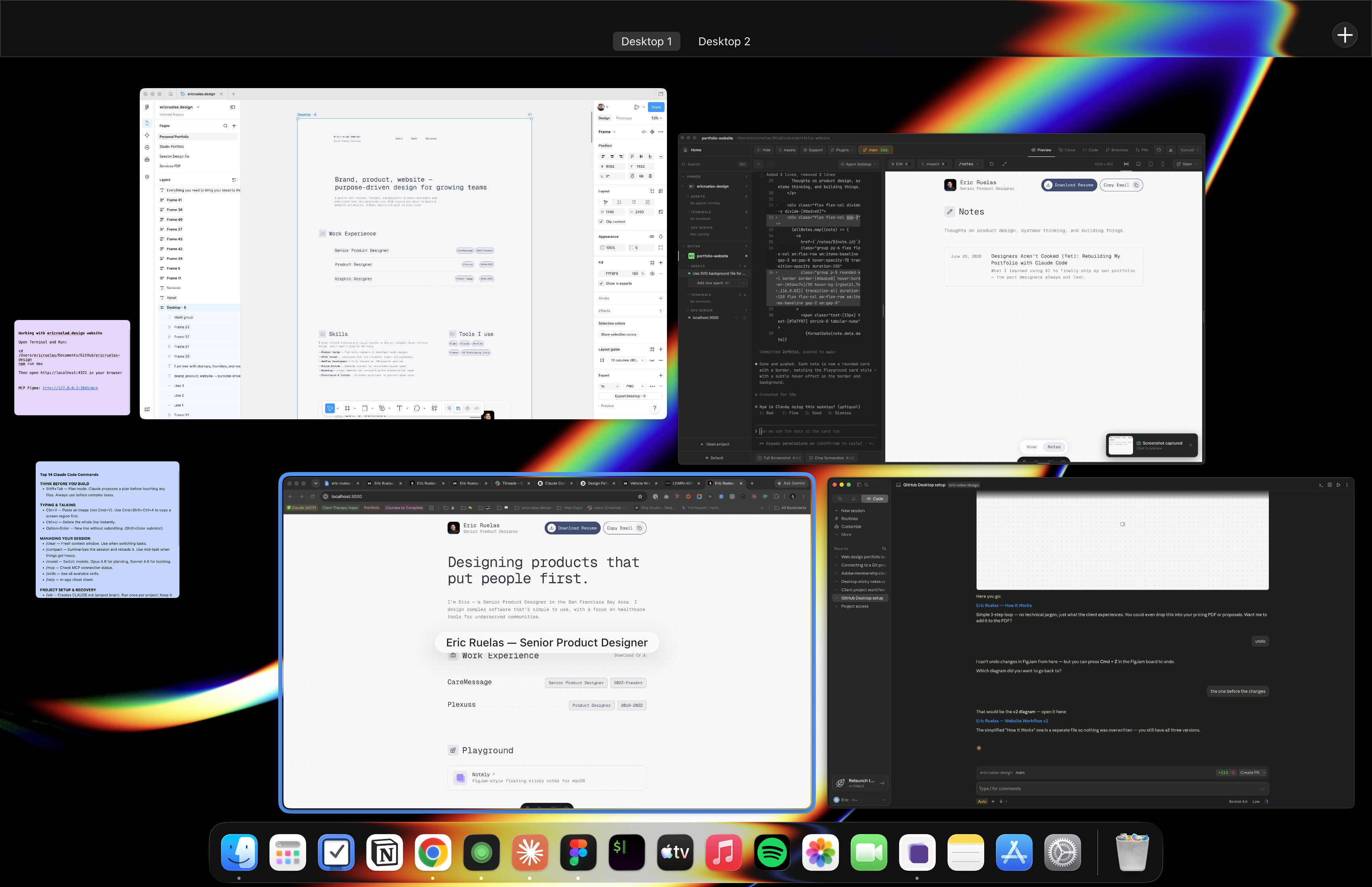
It all starts with a project folder, somewhere to keep the assets you need: images, docs, outlines of the site. This assumes you already have Claude Code installed. At work, I was lucky to have a great engineer on my team who helped me set up Git and explained how it works. Essentially, Git stores everything in that folder, all your code and assets. It’s your source of truth. Once you’ve got a project folder, Claude Code, and a Git client installed, you can really begin.
To be clear: I love Figma and I’m not leaving it. But I didn’t start this in Figma, and that was the point. If I had, I probably never would have left it, and I’d still be procrastinating. Luckily my old portfolio lived in Framer, so I just screenshotted the entire thing and used that as my reference.
I connected my project folder to Claude Code and started prompting: “I want to build my portfolio, here are my designs from Framer.” From there, I prompted my way to the top. For each change, I’d commit it, push to Git, and watch it deploy to Vercel, where the site is hosted now. Seeing it go from “building” to “ready” is its own little hit of dopamine.
The phrase I keep hearing from the industry is “designers are cooked.” Maybe that becomes true someday, but right now, it’s definitely not. The other one, especially from AI companies, is “just type a prompt and boom, you’ve got an app” or “boom, a website.” Well, folks: that would be nice. Because it doesn’t really work like that. I spent the rest of my time prompting changes here and there, making sure everything was responsive on mobile, that it used the same icon library, the same fonts.
To me, working with AI just cuts out the mundane parts of designing and building. Instead of pouring hours into the foundation (sections, components, getting everything responsive), I can stand that up quickly and focus on what actually matters: making sure the experience is good. And then I get to add the little touches.
That’s the point I want to make. It’s easier to spend time on the stuff that matters, and on the stuff that makes things fun. Do I need a shimmer on my thumbnails? Will it meaningfully improve the user experience? Probably not. But to me, that’s exactly what makes a site memorable, the details people don’t consciously notice. I already had a design to work from, but for once I had the flexibility to make it better, the way I’d always wanted to but felt constrained from doing in other tools.
I don’t feel less creative, not in my personal work, and not in my 9–5. I’m also lucky to work somewhere that still values research, which I know plenty of companies overlook. So I get the hesitation some designers feel about bringing AI into their process. For me, it hasn’t taken anything away. It’s just cleared room for the parts I care about most.
